System Purifier

System Purifier
License:
Trial version
Language:
English
Developer:
OS:
Win98/98SE/Me/2000/XP/Vista
Updated:
See detailed info

Softonic review

James Thornton

“Set of tools to keep your computer clear of useless files”

by James Thornton about System Purifier

We can’t stress enough the importance of keeping your PC secure when you surf the Internet. You need to have an antivirus, a firewall and the latest version of Windows. What’s more, you need an application to efficiently clean up your PC and get rid of unused or obsolete files. Jitbit System Purifier helps you protect your privacy by getting rid of obsolete files and deleting traces of your online activity.

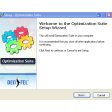
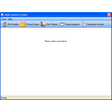
There are four main actions available in Jitbit System Purifier: File Shredder to quickly erase unwanted files, Privacy Erasers to delete traces of your Internet activity, Disk Cleaner to remove temporary files from your drive, and Startup Programs to clean up the launching process of your PC. Each tool fared well in our tests and performed their tasks fairly quickly. We appreciated being able to carry out all of these tasks simultaneously, considerably reducing the time you spend cleaning up your PC. There wasn’t any problem running other applications while Jitbit is doing its job either. The Startup Programs option was particularly useful to find programs that we didn’t want to launch automatically.

The Privacy Eraser is an essential tool to protect you when browsing the net. Jitbit System Purifier is fairly successful at this task, removing cache, cookies, history and form auto-complete among other files. We were however disappointed to find out that the majority of privacy cleaning actions are aimed only at Internet Explorer. If you use Firefox you’ll only be able to remove cache and cookies, something you can already do in the Mozilla browser. Jitbit System Purifier doesn’t clean out registry files either, even though they are notoriously famous for quickly clogging a PC.

Jitbit System Purifier offers up the classic dose of PC cleaning tools like file shredding, removal of internet activity tracks and start-up program deletion. However, it lacks many basic cleaning up options and the privacy tool works almost exclusively with Internet Explorer, a peculiarity if you consider that nearly 15% of internet users worldwide now use Firefox. Jitbit System Purifier is a satisfactory cleaning utility if you still surf the net with Internet Explorer, but other users will turn to more efficient alternatives like Disk Cleaner or Anti Tracks.


Pros
  • Removes any traces of browsing from IE
  • Quickly scans disk for obsolete files
  • Can perform tasks simultaneously
  • Deletes unused start-up programs
Cons
  • Internet privacy tool works mostly with IE
  • Doesn’t clean registry
Download System Purifier 3.37

System Purifier is virus free

We have analyzed the latest version of System Purifier with 30 antivirus engines and it is virus free. See analysis results.

TESTED VIRUS FREE - Softonic GUARANTEED

Developer's description

JitBit System Purifier is a set of tools, which includes: file shredder, disk cleaner and various privacy erasers. A file shredder AKA "file eraser" securely deletes files from your hard disk.

Files erased with System Purifier can not be recovered or "undeleted" with disk recovery tools. Use it to completely erase critical information from your disk. System Purifier is fully integrated with the Windows shell: erase files from any windows-compatible file manager (e.g. Windows Explorer) using a context-menu.

System Purifier protects privacy by cleaning up the tracks of your Internet activities and computer activities. It cleans URLs you typed into Internet Explorer address box, erases Recent Document folder, empties your web browser's cache etc. etc. Junk file cleaner scans your drives for useless and temporary files, left by various applications. Use it to free disk space and optimize system performance.

Review and rate System Purifier

Your avatar

Your opinion is important.
Help other users - be the first to review this program.

Review
  1. Maximum: 75 characters

  2. See example

Pros and Cons
Rate
  1. What rating would you give System Purifier?

    You need to fill in all fields

    • Usability:

      Not rated
    • Stability:

      Not rated
    • Installation:

      Not rated
    • Functionality:

      Not rated
    • Appearance:

      Not rated
    • Overall rating:

      Not rated
  2. Don't worry, we won't make your email address public.

You're not allowed to share serial numbers, cracks, etc. or link to pages that contain them. If you do, your user account will be deleted, your IP address logged and legal action will be taken.

Get started - just ask a question!

Write a title for your question.

Alternativesto System Purifier

  • In English:
    Cleanup Assistant
    Cleanup Assistant

    Keep a clean hard drive with this set of tools

    Softonic rating:
    • 6/10
    User rating:
    • 10/10
  • Free:
    Disk Cleaner
    Disk Cleaner

    Delete obselete files on your computer and save space

    Softonic rating:
    • 9/10
    User rating:
    • 9/10
Compare with System Purifier

Screenshots from System Purifier

Download rank: Cleaners

77 of 104

Softonic rating:
  • Very good
  • 8/10
Your rating:
Your rating
  • 0

Review and rate this program

Blog posts about System Purifier

More

Top Downloads: Cleaners

  • United States
  • Global

  1. CCleaner

    Excellent free system cleaning and optimization tool

  2. Glary Utilities
  3. ATF Cleaner
  4. Windows Installer CleanUp Utility
  5. AVG PC Tuneup

Reviews of System Purifier in other languages